
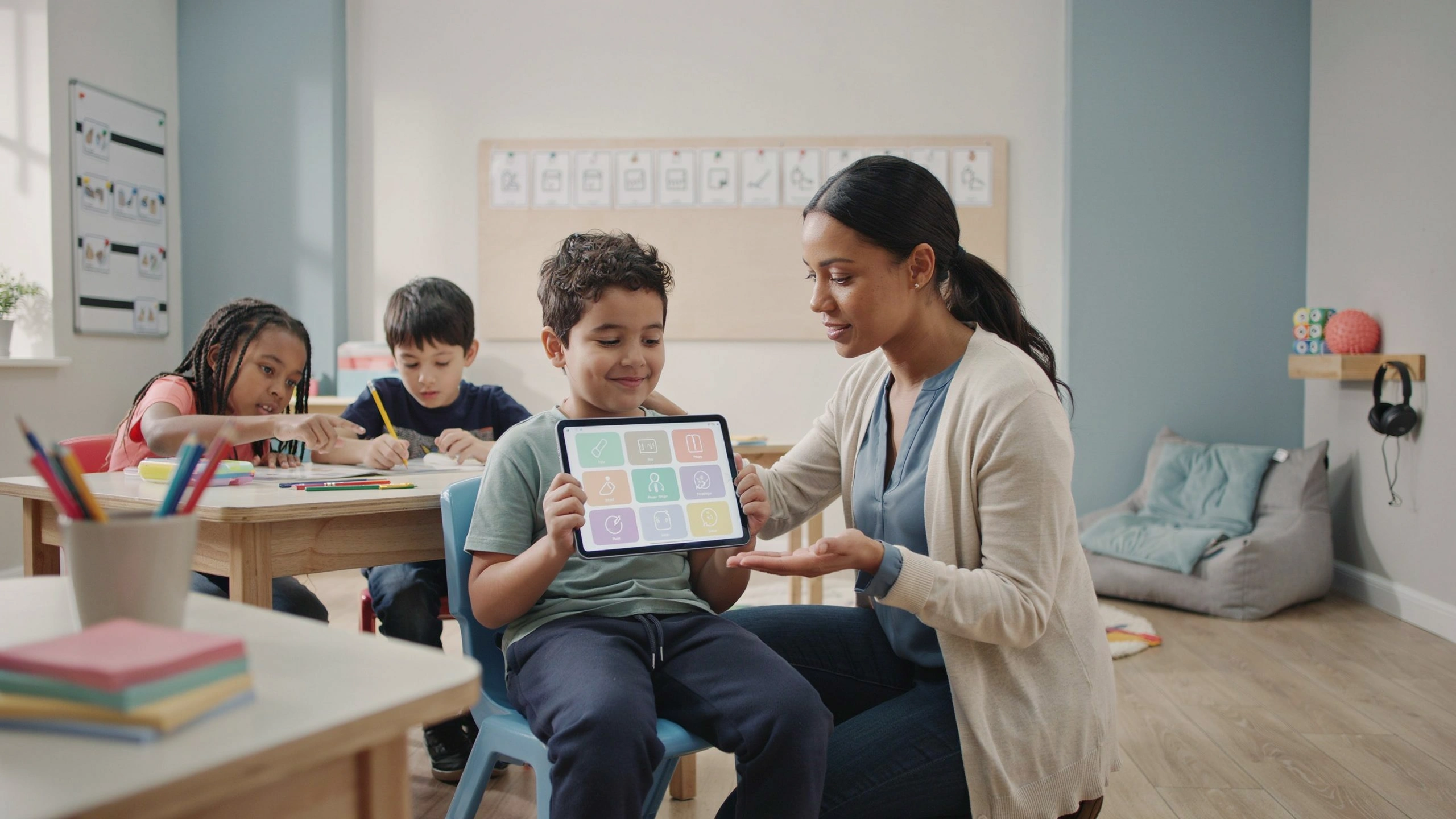
Introduction
Technology has transformed the way students learn, communicate, and participate in educational environments. For students with Autism Spectrum Disorder (ASD), assistive technology can provide valuable support by improving communication, increasing independence, enhancing learning opportunities, and reducing barriers to participation.
Assistive technology refers to tools and devices that help individuals perform tasks that may be challenging. In autism education, these tools can be adapted to meet each student’s unique needs, strengths, and goals.
The purpose of assistive technology is not to replace human support but to empower students with autism to communicate, learn, and participate more independently.
1. Understanding Assistive Technology in Autism Education
Assistive technology includes any tool, device, or software that supports learning and daily functioning.
Examples include:
- Communication devices.
- Educational applications.
- Visual support tools.
- Speech-to-text programs.
- Digital schedules.
- Interactive learning platforms.
These tools can support students in areas such as:
- Communication.
- Academic learning.
- Organization.
- Social interaction.
- Independence.
2. Why Assistive Technology Is Important for Autistic Students
Students with autism often have different learning profiles.
Some may experience challenges with:
- Expressing thoughts verbally.
- Understanding instructions.
- Managing routines.
- Organizing tasks.
- Processing information.
Assistive technology can help by:
- Providing alternative communication methods.
- Making information more accessible.
- Increasing motivation.
- Supporting individual learning styles.
3. Assistive Technology for Communication
Communication is one of the most important areas where technology can support autistic learners.
Augmentative and Alternative Communication (AAC) Devices
AAC tools help students communicate when spoken language is difficult.
Examples:
- Tablets with communication applications.
- Speech-generating devices.
- Digital communication boards.
A student can select symbols or words, and the device converts them into spoken language.
Example:
The student selects:
🍎 + “want”
The device says:
“I want an apple.”
4. Visual Support Technology
Many autistic students benefit from visual information.
Technology can provide:
Digital Visual Schedules
Students can view:
- Daily activities.
- Class routines.
- Upcoming changes.
Example:
Morning Routine:
☑ Arrival
☑ Reading
☑ Mathematics
☑ Break
Digital Checklists
Students can follow steps for:
- Completing assignments.
- Preparing materials.
- Managing routines.
Visual organization supports independence.
5. Supporting Academic Learning Through Technology
Assistive technology can make academic content more accessible.
Reading Support
Tools may include:
- Digital books.
- Text-to-speech programs.
- Interactive reading applications.
These tools help students who struggle with:
- Reading fluency.
- Understanding text.
- Maintaining attention.
Writing Support
Technology can support writing through:
- Speech-to-text tools.
- Word prediction programs.
- Digital organizers.
Students can express ideas without being limited by handwriting difficulties.
Mathematics Support
Technology can provide:
- Visual explanations.
- Interactive exercises.
- Step-by-step problem-solving.
6. Using Technology to Support Social Skills
Some autistic students may find social situations challenging.
Technology can help teach:
- Conversation skills.
- Emotional recognition.
- Social problem-solving.
Examples:
- Social stories applications.
- Interactive videos.
- Virtual practice activities.
Students can learn social situations in a safe and structured way.
7. Technology for Emotional Regulation
Technology can support students in understanding and managing emotions.
Examples:
Emotion Recognition Tools
Students can practice identifying:
😊 Happiness
😢 Sadness
😡 Anger
😟 Anxiety
Calming Applications
These may provide:
- Breathing exercises.
- Relaxation activities.
- Guided calming strategies.
Technology can help students develop self-regulation skills.
8. Supporting Executive Function Skills
Executive functioning includes:
- Planning.
- Organization.
- Time management.
- Task completion.
Technology tools can support these skills through:
- Calendar applications.
- Reminder systems.
- Digital planners.
- Task management tools.
Example:
A student receives a reminder:
“Complete mathematics homework at 5:00 PM.”
9. Choosing the Right Technology Tool
The most expensive or advanced technology is not always the best choice.
Teachers should consider:
Student Needs
What challenge does the tool address?
Student Preferences
Does the student enjoy using the tool?
Ease of Use
Can the student use it independently?
Educational Goals
Does it support meaningful learning?
The tool should serve the student, not become an additional obstacle.
10. Introducing Technology Effectively
Students need support when learning to use new tools.
Effective introduction includes:
Step-by-Step Training
Teach one function at a time.
Regular Practice
Frequent use helps students become comfortable.
Positive Encouragement
Celebrate successful use of technology.
Gradual Independence
Reduce adult assistance over time.
11. The Role of Teachers in Technology Integration
Teachers play an important role in making technology successful.
They should:
- Select appropriate tools.
- Teach students how to use them.
- Monitor progress.
- Adapt activities.
- Collaborate with specialists.
Technology works best when combined with effective teaching strategies.
12. Collaboration with Families
Families can support technology use at home.
They can:
- Practice communication tools.
- Use similar routines.
- Share observations with teachers.
Consistency between home and school increases success.
13. Challenges of Using Assistive Technology
Although technology offers many benefits, challenges may occur.
Cost
Some tools may be expensive.
Solutions:
- Use free or low-cost applications.
- Explore school resources.
Training Needs
Teachers and families may need training.
Solution:
- Provide professional development.
- Share resources.
Technology Dependence
Technology should support skills, not replace human interaction.
The goal is increased independence and participation.
14. The Future of Assistive Technology in Autism Education
Future developments may include:
- Artificial intelligence learning tools.
- More personalized educational applications.
- Advanced communication systems.
- Virtual learning environments.
These innovations may create even more opportunities for autistic learners.
Conclusion
Assistive technology is a powerful tool for supporting students with autism. By improving communication, supporting learning, encouraging independence, and reducing barriers, technology can help autistic students participate more fully in education.
The most effective approach combines technology with understanding, skilled teaching, and individualized support. When used thoughtfully, assistive technology does not simply help students complete tasks; it gives them greater opportunities to express themselves, connect with others, and achieve their goals.