
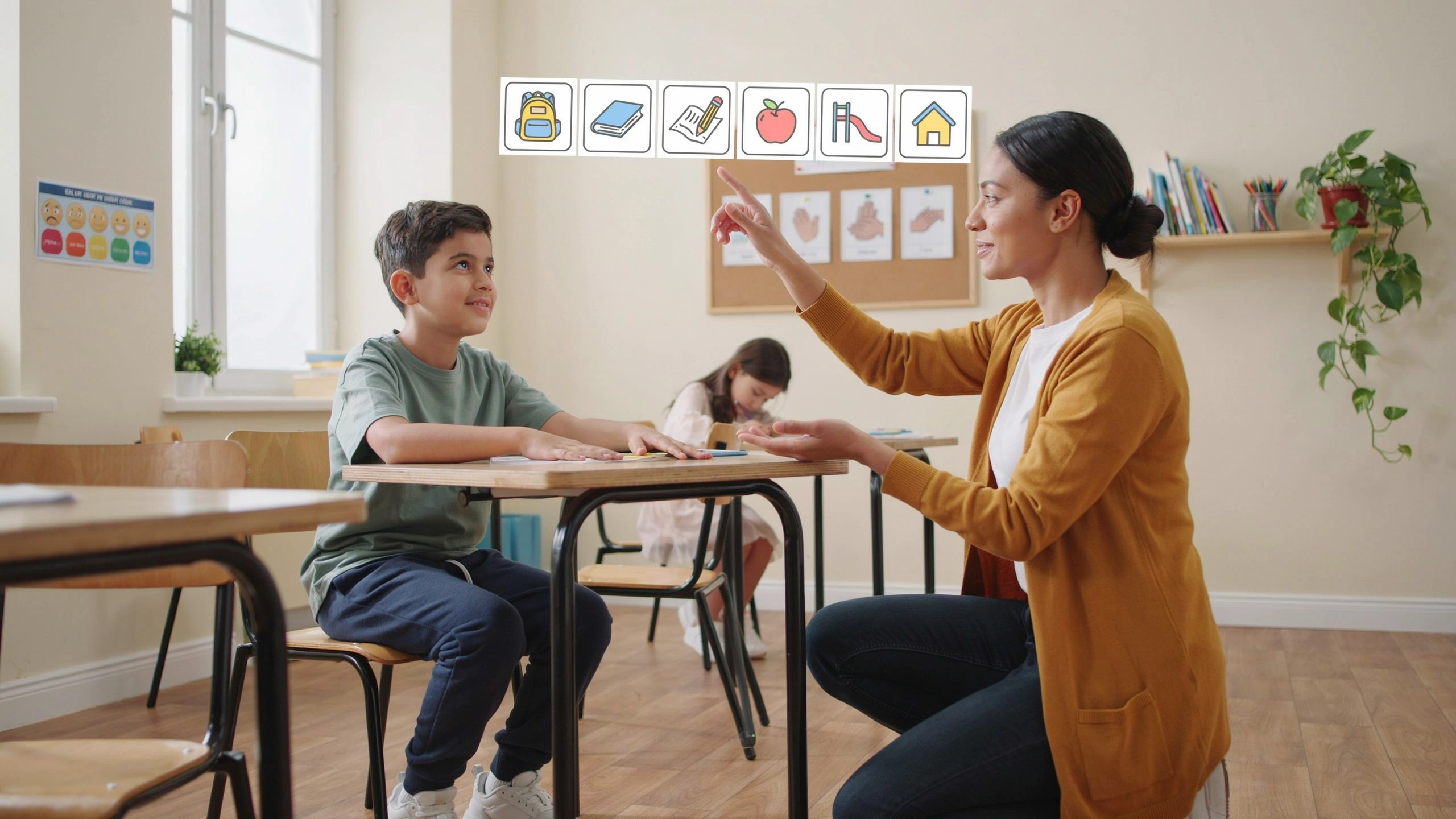
Introduction
For many students with Autism Spectrum Disorder (ASD), understanding and processing information can be easier when they can see it rather than only hear it. Visual supports are powerful educational tools that help autistic learners understand expectations, communicate needs, organize tasks, and participate more independently in classroom activities.
Visual supports do not replace verbal communication; instead, they enhance it by providing clear, predictable, and accessible information. When used effectively, they can reduce anxiety, increase confidence, and improve learning outcomes.
1. What Are Visual Supports?
Visual supports are tools that use images, symbols, written words, or other visual information to help students understand and respond to their environment.
Examples include:
- Pictures and photographs.
- Visual schedules.
- Charts and diagrams.
- Written instructions.
- Timelines.
- Choice boards.
- Graphic organizers.
- Task cards.
- Social stories.
- Checklists.
These tools help transform abstract ideas into concrete information that students can understand more easily.
2. Why Are Visual Supports Important for Students with Autism?
Many autistic students experience differences in how they process information. While spoken instructions disappear after they are said, visual information remains available and can be reviewed as needed.
Visual supports help students by:
Increasing Understanding
A student may struggle to remember a long verbal instruction but understand it clearly when it is presented with pictures or written steps.
For example:
Instead of saying:
“First put away your books, organize your desk, and prepare your materials for the next activity.”
A teacher can provide a visual checklist:
✅ Put books away
✅ Organize desk
✅ Take out notebook
Reducing Anxiety
Unexpected situations and unclear expectations can create stress for autistic learners.
A visual schedule allows students to know:
- What activities will happen.
- When activities will change.
- What is expected of them.
Predictability creates a feeling of safety and control.
Promoting Independence
Visual supports encourage students to complete tasks without constant adult assistance.
For example, a student can follow a picture sequence for:
- Washing hands.
- Preparing school materials.
- Completing homework.
- Following classroom routines.
This builds confidence and self-management skills.
3. Types of Visual Supports Used in Autism Education
a. Visual Schedules
A visual schedule shows the order of daily activities.
Example:
🌞 Morning Arrival
↓
📖 Reading
↓
➕ Mathematics
↓
🍎 Break Time
↓
🎨 Art Activity
Visual schedules help students prepare for transitions and changes.
b. First-Then Boards
First-Then boards show that one activity must happen before another preferred activity.
Example:
First: Complete worksheet
Then: Play computer game
This strategy helps students understand expectations and stay motivated.
c. Choice Boards
Choice boards allow students to express preferences.
Examples:
“What activity would you like to do?”
📚 Read a book
🎨 Draw a picture
🧩 Complete a puzzle
Choice boards support communication and decision-making.
d. Visual Task Instructions
Some activities require multiple steps. Visual instructions break tasks into manageable parts.
Example:
Making a Sandwich
- Take bread.
- Add cheese.
- Add vegetables.
- Close sandwich.
- Clean the table.
This approach supports organization and independence.
e. Social Stories
Social stories explain social situations in a simple and predictable way.
They can help students understand:
- Classroom rules.
- Friendships.
- Emotional situations.
- Changes in routine.
Example topic:
“How to Ask a Friend to Play”
A social story may explain:
“I can ask my friend, ‘Can I play with you?’ My friend may say yes or no. I can stay calm and try again later.”
4. How Teachers Can Use Visual Supports Effectively
Start Simple
Teachers should introduce visual supports gradually.
A simple picture schedule or checklist may be more effective than using too many visuals at once.
Match Visuals to the Student’s Level
Different students need different types of support.
Some may benefit from:
- Real photographs.
- Simple drawings.
- Symbols.
- Written words.
The goal is to use visuals that the student understands.
Use Visuals Consistently
Consistency is important.
If a symbol represents “break time,” it should always have the same meaning.
Changing symbols frequently may create confusion.
Combine Visual and Verbal Instructions
Visual supports work best when combined with spoken language.
For example:
Teacher says:
“It is time to clean up.”
Teacher also shows:
🧹 Clean-up picture card.
This reinforces understanding.
5. Visual Supports and Academic Learning
Visual strategies can improve learning across subjects.
Reading
Teachers can use:
- Story maps.
- Picture sequences.
- Vocabulary cards.
- Character charts.
These tools help students understand texts and organize ideas.
Mathematics
Visual supports can include:
- Number lines.
- Shapes.
- Step-by-step problem-solving guides.
- Visual examples.
They make abstract mathematical concepts easier to understand.
Science
Students can benefit from:
- Diagrams.
- Experiment steps.
- Concept maps.
- Illustrated vocabulary.
Visual information supports understanding of complex topics.
6. Supporting Communication Through Visual Tools
For some autistic students, verbal communication may be challenging. Visual communication systems can provide alternative ways to express thoughts and needs.
Examples include:
- Picture Exchange Communication System (PECS).
- Communication boards.
- Digital communication applications.
These tools can help students communicate:
- Needs.
- Feelings.
- Choices.
- Questions.
- Opinions.
Effective communication improves participation and reduces frustration.
7. Benefits of Visual Supports Beyond Autism
Although visual supports are especially helpful for autistic students, they benefit many learners.
They can support:
- Students with learning difficulties.
- Young children developing language skills.
- Students learning a new language.
- Students who need organizational support.
A visually organized classroom creates clearer learning experiences for everyone.
8. Challenges and How to Overcome Them
Some teachers may worry that creating visual supports requires too much time.
However, teachers can begin with simple tools:
- Printed schedules.
- Handwritten checklists.
- Classroom labels.
- Basic picture cards.
Technology can also make creating visuals easier through:
- Educational applications.
- Digital planners.
- Interactive boards.
The most important factor is not the complexity of the tool but how well it meets the student’s needs.
Conclusion
Visual supports are essential tools in autism education because they make learning more understandable, predictable, and accessible. They help students with autism communicate, develop independence, manage routines, and participate more actively in the classroom.
When educators use visual supports thoughtfully, they create an inclusive environment where autistic learners can build confidence, develop skills, and achieve academic success.