
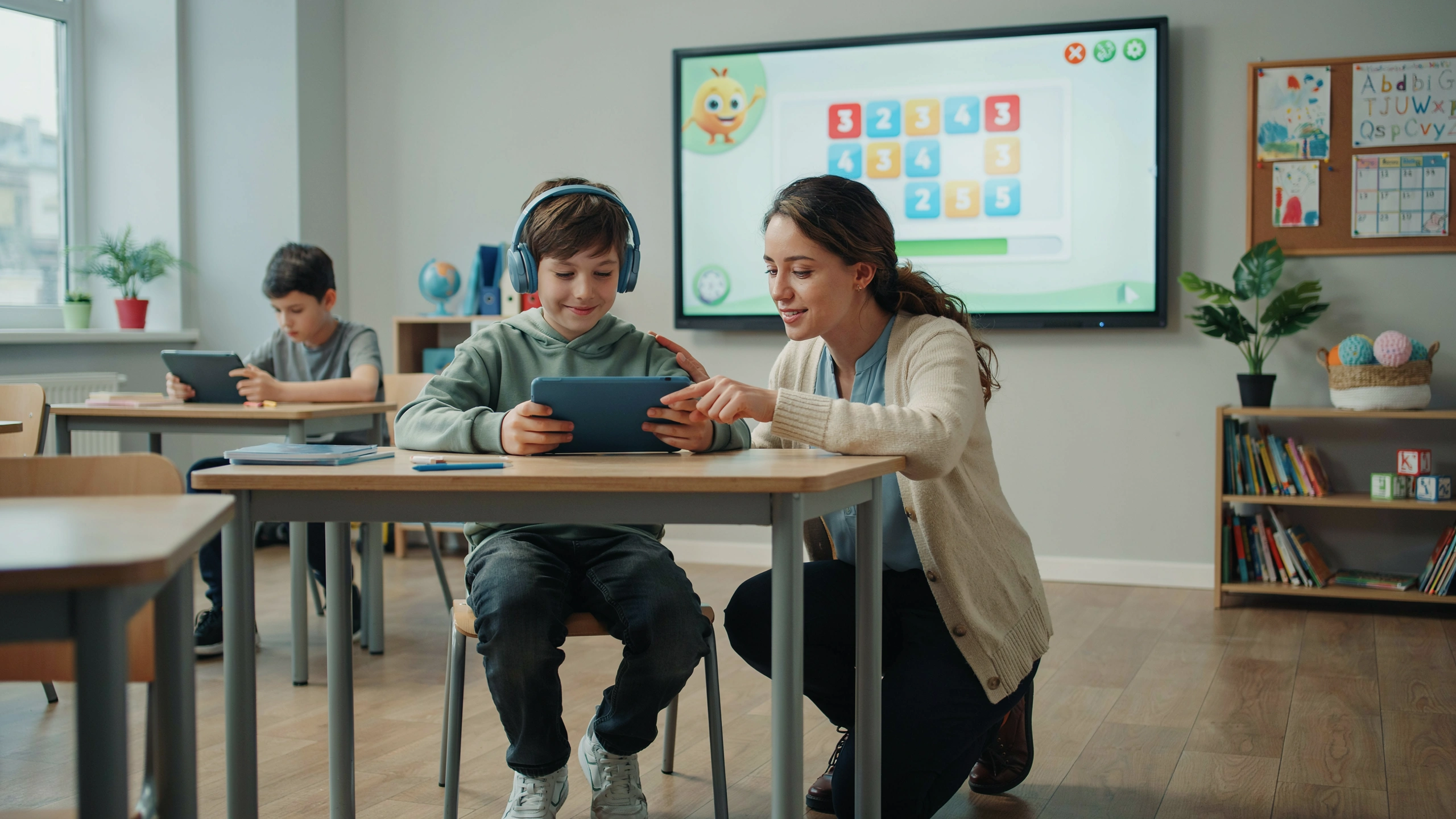
Introduction
Technology has transformed the way students learn, communicate, and participate in education. For students with Autism Spectrum Disorder (ASD), technology can provide valuable support by improving communication, increasing independence, enhancing engagement, and creating personalized learning opportunities.
Digital tools are not a replacement for teachers or human interaction. Instead, they are powerful resources that help educators adapt instruction to meet the diverse needs of autistic learners.
When used thoughtfully, technology can create more accessible, inclusive, and motivating learning environments.
1. The Role of Technology in Autism Education
Students with autism often have different learning preferences and may benefit from tools that provide:
- Visual information.
- Predictable routines.
- Interactive activities.
- Personalized instruction.
- Alternative communication methods.
Technology can support students in areas such as:
- Communication.
- Academic learning.
- Social skills.
- Organization.
- Emotional regulation.
- Independent living skills.
2. Technology for Improving Communication
Communication is one of the most important areas where technology can support autistic students.
Some students may have difficulty expressing:
- Needs.
- Feelings.
- Choices.
- Ideas.
- Questions.
Assistive communication technologies provide alternative ways to communicate.
Augmentative and Alternative Communication (AAC) Tools
AAC tools help students communicate without relying only on spoken language.
Examples include:
- Communication applications.
- Speech-generating devices.
- Digital picture boards.
- Tablet-based communication systems.
A student can select an image or symbol, and the device converts it into spoken words.
For example:
🍎 Food
💧 Drink
🆘 Help
😊 Happy
These tools increase independence and reduce frustration.
3. Educational Applications for Academic Learning
Technology can make academic activities more engaging and accessible.
Reading and Language Learning
Digital tools can support reading through:
- Interactive stories.
- Audio support.
- Picture-based vocabulary.
- Reading comprehension activities.
Students can learn at their own pace and receive immediate feedback.
Mathematics Learning
Technology can help students understand mathematical concepts through:
- Visual demonstrations.
- Interactive exercises.
- Step-by-step problem solving.
- Educational games.
Visual and interactive approaches often make abstract concepts easier to understand.
Science Learning
Digital simulations and videos can help students explore:
- Experiments.
- Natural phenomena.
- Scientific concepts.
Students can observe processes that may be difficult to experience directly.
4. Using Visual Technology for Organization
Many autistic students benefit from structure and predictability.
Technology can support organization through:
- Digital schedules.
- Reminder applications.
- Timers.
- Task management tools.
Examples:
A tablet can display:
8:00 → Arrival
9:00 → Mathematics
10:00 → Break
10:30 → Reading
This helps students understand daily routines and transitions.
5. Technology for Developing Social Skills
Social interaction can sometimes be challenging for autistic learners. Technology can provide safe ways to practice social situations.
Examples include:
Social Stories Applications
Digital social stories help students understand:
- Classroom expectations.
- Friendship skills.
- Emotional situations.
- Changes in routines.
Virtual Role-Playing Activities
Students can practice:
- Starting conversations.
- Asking questions.
- Solving social problems.
Technology provides opportunities for repeated practice in a comfortable environment.
6. Supporting Emotional Regulation Through Technology
Some digital tools help students recognize and manage emotions.
Applications may include:
- Emotion identification activities.
- Relaxation exercises.
- Breathing guides.
- Mood tracking tools.
Students can learn to:
- Identify feelings.
- Recognize stress signals.
- Choose calming strategies.
7. Interactive Whiteboards and Classroom Technology
Interactive classroom technology can benefit autistic learners by providing:
- Visual explanations.
- Hands-on participation.
- Multimedia learning experiences.
Teachers can use:
- Videos.
- Images.
- Diagrams.
- Interactive exercises.
These approaches support different learning styles.
8. Virtual Reality (VR) and Augmented Reality (AR) in Autism Education
Emerging technologies such as VR and AR offer new possibilities.
They can create realistic practice environments for:
- Visiting new places.
- Practicing social situations.
- Learning safety skills.
- Preparing for real-life experiences.
Examples:
A student can practice:
- Crossing a street safely.
- Visiting a supermarket.
- Entering a classroom.
These experiences can reduce anxiety about unfamiliar situations.
9. Artificial Intelligence (AI) and Personalized Learning
Artificial intelligence is increasingly used to create personalized educational experiences.
AI tools can help by:
- Adapting activities to student levels.
- Providing immediate feedback.
- Identifying learning patterns.
- Suggesting personalized exercises.
However, technology should always be guided by teachers who understand the student’s individual needs.
10. Choosing the Right Technology Tools
Not every digital tool is appropriate for every student.
Teachers should consider:
Student Needs
Does the technology solve a specific challenge?
Ease of Use
Can the student use it independently?
Learning Goals
Does it support educational objectives?
Balance
Does it encourage learning and interaction rather than replacing human relationships?
11. Challenges of Using Technology in Autism Education
Despite its benefits, technology also presents challenges.
Access and Cost
Some schools may lack:
- Devices.
- Internet access.
- Specialized applications.
Overdependence on Technology
Technology should support learning, not replace:
- Teacher guidance.
- Peer interaction.
- Real-life experiences.
Teacher Training
Educators need training to use technology effectively and choose appropriate tools.
12. Best Practices for Teachers
To maximize the benefits of technology, teachers should:
- Introduce tools gradually.
- Teach students how to use them.
- Monitor progress.
- Combine technology with traditional teaching.
- Involve families when appropriate.
- Adapt tools to individual needs.
Conclusion
Technology offers valuable opportunities to improve autism education by making learning more accessible, personalized, and engaging. From communication devices and educational applications to virtual learning environments, digital tools can help autistic students develop skills and participate more fully in school life.
The most effective approach is not simply using technology, but using it with purpose. When combined with skilled teachers, supportive environments, and individualized strategies, technology becomes a powerful tool for helping students with autism learn, communicate, and thrive.